
English
Live editing
Edit a note in Obsidian or in the site's editor and see the result in the browser right away, without reloading by hand. To get this, turn on "Live reload" in the site menu.
How to turn it on
- Sign in to the site.
- Open the ☰ menu in the page header.
- Click "Live reload: OFF". The label changes to "Live reload: ON".
The browser remembers the setting for the whole site, so it stays on after a reload. Click the item again to turn it off.
You can also turn it on with a link: add ?#!live_reload=1 to any page address. The link works once you are signed in.
While "Live reload" is off, the page does not watch for changes.
What happens
Open a page on your site and the same note in Obsidian. Edit the note and sync it.
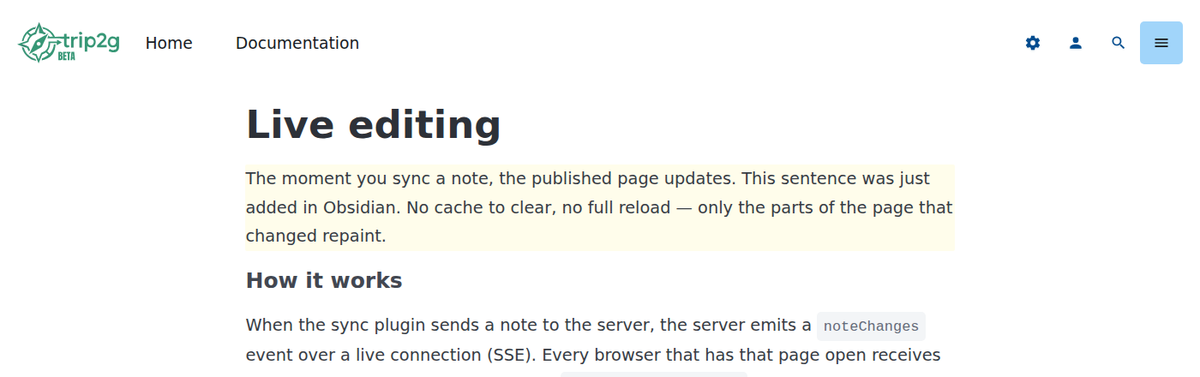
The page in the browser right after a sync: a sentence was added to the first paragraph, and the changed paragraph is highlighted.
As soon as the server saves the note, the open page reloads in full. After the reload, the page scrolls to the first changed block and highlights it for a couple of seconds. If the server could not tell what changed (for example, the note is new), the page just reloads without a highlight.
The page updates whenever the note changes, whatever the source:
- a sync from Obsidian;
- a save in the in-browser editor;
- the API or MCP, for example an AI agent;
- a git push;
- hiding the note.
Live follow
"Live follow" in the same ☰ menu turns on a different mode: the browser goes to whichever note was just changed, anywhere on the site. Handy for watching an AI agent work through a vault note by note.
Turn it on the same way: click "Live follow: OFF" in the ☰ menu, or, once you are signed in, add ?#!live_follow=1 to the address:
https://yourdomain.com/any-note?#!live_follow=1
This setting is also kept in the browser and survives the jumps between notes. Click the menu item again to turn it off.
You can turn on both modes. Then, if the open page changes, it reloads with a highlight; if another note changes, the browser goes there. Jumps to another note have no highlight.
Pair it with trip2g-sync --watch: the daemon sends the agent's edits to the server and the browser follows. Full setup: en/user/agent-memory.
Who can use it
Anyone signed in to the site. Each person gets updates only for notes they are allowed to read. Admins get all of them.
Until you sign in, these menu items are hidden.
Limits
- The page reloads in full. Anything typed into a form on the page is lost.
- Updates reach only tabs that are already open. A tab opened later shows the current version as usual.
- If a page is closed to the reader (subscription or sign-in required), no updates arrive for it, and Live follow does not go to it.
How it works inside: the noteChanges subscription.
Related
- Two-way sync with Obsidian — receive server-side changes back into Obsidian
- In-browser editor — edit notes right on the site
- Webhooks & automation — change notifications for your own integrations
- en/user/agent-memory — headless agent setup with
--watchand Live follow